How to Manage Time Blindness: 9 Tools That Work
How to manage time blindness with 9 practical tools: visual timers, lock screen countdowns, estimate logs, transition buffers and more, with research sources.

The most reliable way to manage time blindness is to stop asking your head to track time and move the job outside it: a timer you can see, alarms that tell you what to do, and estimates you check against reality. Below are nine tools that do the tracking for you and how to set each one up today.
What Time Blindness Actually Is
Time blindness is the everyday name for trouble sensing how much time has passed and how long something will take. Medical News Today describes it as "difficulty sensing how much time has passed" and notes that it is not intentional disregard for time. A Health.com piece shared by CHADD lists the usual results: missed deadlines, arriving late, and trouble moving from one task to the next.
It is not a formal diagnosis, and it is not in the diagnostic criteria for ADHD. It is, however, well documented in ADHD research:
- A 2020 meta-analysis of 27 studies in the Journal of Attention Disorders found that children and adolescents with ADHD perceived time less accurately and less precisely than their peers, and tended to overestimate intervals (summary on ADDitude, paper).
- A 2021 meta-analysis by Marx and colleagues in the Journal of the American Academy of Child and Adolescent Psychiatry pooled 55 studies and found timing deficits across every type of timing task they looked at, from comparing two short signals to estimating and reproducing intervals (summary on ADHD Evidence, paper).
You don't need an ADHD diagnosis to recognise the pattern. Most people misjudge time during deep work, scrolling or stress. If it happens constantly and costs you jobs, money or relationships, raise it with a clinician.
Why Tools Beat Trying Harder
Here is the core idea behind every tool in this list: if your internal clock is unreliable, give yourself an external one that is impossible to miss.
Most time advice assumes you will remember to check. With time blindness the nudge to look is weak or missing, so the clock sits there, accurate and ignored, and twenty minutes become seventy.
Good tools share three traits:
- They're visible without effort. You see them in your peripheral vision or on a screen you already look at.
- They show how much is left. "14:32" asks you to do math. A shrinking shape or a filling screen shows "a little left" at a glance, which is a big part of why visual timers help you focus for many people.
- They tell you what to do next. A beep says time is up. A labelled alarm says "leave now, keys are by the door".
Estimation is the other half. Even people without ADHD are bad at predicting their own task times. In a classic 1994 study, psychology students predicted they would finish their honours thesis in 33.9 days on average; they actually took 55.5 days, and only 29.7% finished within their own best guess (Buehler, Griffin and Ross, Journal of Personality and Social Psychology). In a later study in the same paper, the optimistic bias disappeared when people were asked to connect their past experiences to the new prediction. That finding is the basis for tool 4.
Tools 1–3: Make Time Visible
1. A visual timer you can always see
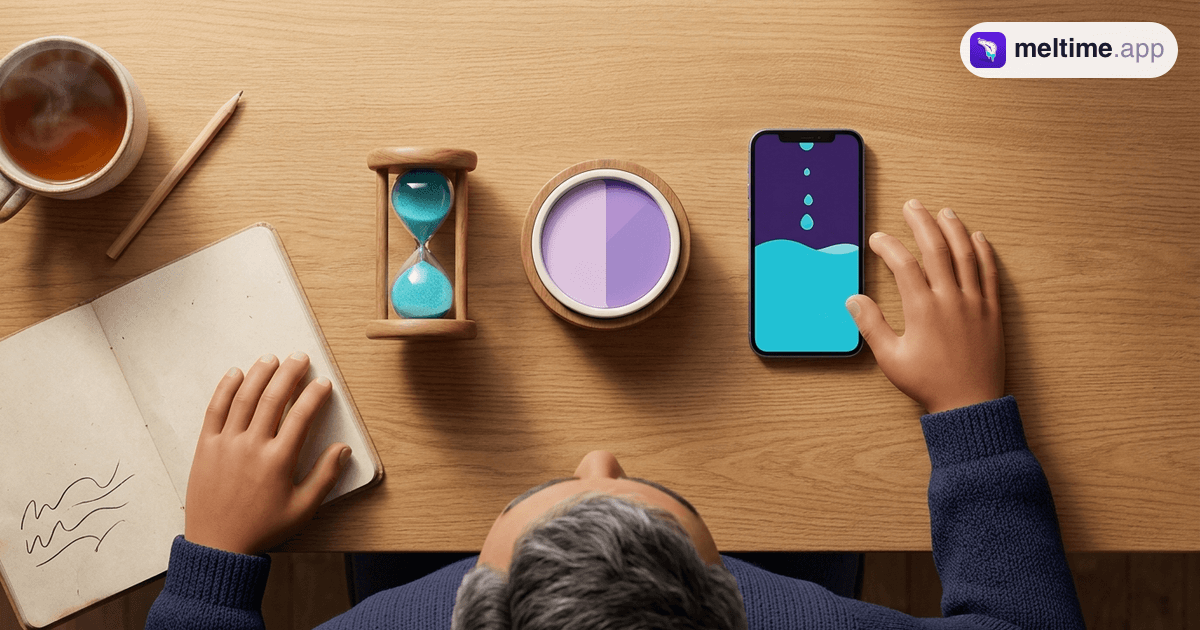
Put a timer where your eyes already go: next to your monitor, on the kitchen counter, propped up on your desk. Pick one that shows remaining time as a shape or a fill, so you read "half gone" without thinking.
This can be a physical disc timer or an app. On iPhone, Meltime shows a session as liquid filling the screen, so the amount left is a level you notice rather than digits you read. Sessions run up to 60 minutes, which suits the "one block at a time" approach. To be clear, this is a tool for seeing time pass. It doesn't treat ADHD or time blindness. If you want to compare options, here is our guide to the best visual timer for ADHD adults.
2. Clocks in every room you lose time in
Bathroom, kitchen, by the bed, near the front door: the places where "five minutes" quietly becomes thirty. A cheap analogue wall clock works well because the hands show how much of the hour is gone.
3. A countdown on the Lock Screen
The problem with in-app timers is that you leave the app. On recent iPhones, a Live Activity keeps a running countdown on the Lock Screen and, on models that have one, in the Dynamic Island. Apple's built-in Clock timer does this, and so do some third-party timers.
Meltime's Live Activity, for example, shows a progress ring and the countdown in the Dynamic Island, and a card with the ring, countdown and progress bar on the Lock Screen (a tap opens the app; there are no pause buttons). Every time you pick up your phone for a message, you also see how much of your block is left. Here's how to keep a timer on your iPhone Lock Screen step by step.
Tools 4–6: Fix Your Estimates and Transitions
4. Estimate, then check
This is the tool that builds a better internal sense over time. Before a recurring task, write down how long you think it will take. Start a timer. When you finish, write the real number next to it.
| Task | My guess | Actual |
|---|---|---|
| Shower and get dressed | 10 min | 24 min |
| Reply to morning emails | 15 min | 40 min |
| Weekly grocery run | 30 min | 55 min |
After a week, you have your own correction factor. If your guesses are usually half the real time, double them. This is the same move that removed the bias in the Buehler study: you plan from past evidence instead of from the story of how it should go.
5. Transition buffers
Time blindness hurts most at the edges: leaving the house, switching tasks, wrapping up before a call. Add a fixed 10 or 15 minute buffer to every transition and treat it as part of the schedule.
A practical version: set a 10-minute timer that ends at your real "must leave" moment. When it starts, stop the current task and get ready. The timer decides when to wrap up, so you don't have to sense it.
6. Alarms with labels
An unlabelled alarm at 8:40 means nothing at 8:40. "8:40: shoes on, laptop in bag, leave by 8:50" is an instruction. The Clock app on iPhone lets you add a label to each alarm, and that label is what you see when it fires.
Set two or three for anything time-sensitive: start getting ready, leave, "you should be there now". This helps most with being late for work, because it breaks the morning into steps you can't drift past.
Tools 7–9: Make Starting and Staying Easier
7. Routines and saved presets
If you have to choose a duration, a sound and a plan each time you start, you'll stall. Fix your common blocks in advance: 25 minutes for email, 45 for writing, 10 for tidying.
Many timer apps let you save these as presets, so starting is one tap. Pair the preset with a short focus ritual (water, phone face-up, one tab open) and starting turns into a habit.
8. Body doubling (a human tool)
Body doubling means working alongside another person, in the same room or on a video call, while each of you does your own task. The idea is that another person's presence anchors the session and makes drifting off more noticeable.
The research is still thin. A small 2025 virtual reality study with 12 adults with ADHD found faster task completion and better self-rated attention with a body double, and noted that earlier work was inconclusive (Ara et al., arXiv preprint). So treat it as an experiment. A friend, a coworker or an online co-working session all count.
9. Plan backward from the end time
"I have an hour" is vague. "I need to be out the door at 2:15" is concrete. Pick the end point first, then work backward: 2:15 leave, 2:05 start getting ready, so the work block ends at 2:00. Set your timer to land on that 2:00.
This also helps with getting started. If a big task feels impossible to begin, a fixed end time makes the first block smaller and safer. If starting is your main wall, our guide to ADHD task paralysis goes deeper.
How to Pick Your First Two Tools
Don't set up all nine this week. Pick the problem that costs you most and start there.
| If your biggest problem is… | Start with |
|---|---|
| Losing track during work | 1. Visual timer, 3. Lock Screen countdown |
| Being late | 5. Transition buffers, 6. Labelled alarms |
| Plans that never fit the day | 4. Estimate, then check, 9. Plan backward |
| Not starting at all | 7. Presets, 8. Body doubling |
| Losing time around the house | 2. Clocks in every room |
Run your two tools for two weeks before adding more. If one doesn't stick, swap it out. A small setup you actually use beats a big one you abandon.
When to Talk to a Clinician
Tools help you see and plan time. They don't diagnose anything or replace care. If time blindness is causing real damage (lost jobs, missed medical appointments, constant conflict at home), or it comes with trouble focusing, restlessness or impulsivity, talk to a doctor or psychologist. They can assess for ADHD and other causes and discuss treatment. The tools above work alongside that care.
FAQ
Is time blindness a real condition?
It's a real and well-studied pattern, but it isn't a formal diagnosis on its own. Two large meta-analyses found consistent timing differences in people with ADHD, and many people without ADHD experience milder versions of it.
How do I stop being late for work with time blindness?
Work backward from the time you must leave, add a 10 to 15 minute buffer, and set two or three labelled alarms ("start getting ready", "leave now"). Track how long your morning really takes for a week and plan from that number.
What is the best tool for time blindness?
For most people, a visual timer that stays in sight, combined with labelled alarms. Visual timers show how much time is left at a glance, and alarms with labels tell you what to do when time is up.
Can you fix time blindness completely?
There's no evidence that a tool or trick removes it. What tools do is make time visible and predictable, so it causes fewer problems. Treatment for an underlying condition like ADHD is a separate conversation to have with a clinician.
Related guides
Best Visual Timer for ADHD Adults (2026)
The best visual timer for ADHD adults depends on where you work. We compare Time Timer, iPhone visual timer apps and Meltime on visibility, sound and price.
Read more →
Why Visual Timers Help You Focus (Research)
Visual timers reduce clock-checking, ease time blindness, and quietly anchor attention. Here's what the research says about why visible time works.
Read more →
ADHD Task Paralysis: How to Start in 5 Minutes
What ADHD task paralysis is, how it differs from procrastination, and a 5-minute method to start: shrink the first step, set a visible timer and allow a stop.
Read more →